AEM Trouble Shootings
– Web Development
**Most of the troubles of any development process stem from OS and dependency conflicts. Especially on Windows.
If you are working on established projects and a well-documented page is provided, installing a specific version of toolings will solve most of the problems.
**The question is…where is the damn document?
In that case, you may wish the best of luck that one of your teammates finally went through all troubles and gave you a sen-sei moment on screen sharing. If you are unlucky and all your project teammates are so busy, you may be stuck on failing to set up your local environment. Let’s hope that does not happen, but…It has happened to me quite frequently.
So on this page, I wrote a couple of scenarios and solutions in case you were such an unlucky soul same as me. I may not remember every solution I adopted, but I did my best to recall them.
**Maven dependencies and OS access-related issues - Most critical ones
Sh1. Maven installation failing. When I check the maven console messages on the terminal after adding -E and -X (error log and debugging mode), it shows the list of specific dependencies.
→ First, check the setting.xml in the .m2/ folder. Call one of your teammates and compare their setting.xml file with yours. Best to check with Windows OS users as Mac populates that folder without asking for customisation. Checked the pom.xml within the root and any folder you are installing the dependencies such as front-end, UI, or core, whatsoever (depending on how the repository is set). If the version is not in sync, change the dependency’s version and re-install through the maven command.
Sh2. What if I did the sh1 solutions and still see the problem?
Mostly, Solution #1 will solve, but oddly it did not work on some folks, which was -very unfortunately- me. I was so OK with other AEM projects, and one particular client project was giving me this hoot. Not sure why, but the machine was slow as slug and VPN, env setup, and OS internal conflict was not helpful on that project. I was pulling my hair so severely and wished I could format that device…but I couldn’t, as the device was not mine.
The first thing you can do is check your maven and the java version matches your colleagues currently working on the same project.
If they are not so different, but you still see the issue, the not-so-much-ideal solution to this is…
Editing dependency version on your pom.xml…and not committing your pom changes to git…
I was the only one with dependency conflict issues on vault and rabbit (keep in mind that it was so long ago, so I don’t remember the details of the dependencies). The pom.xml file from the client source base was 3.81, and my terminal said it required a higher version. I searched the stack overflow with the error message and changed the dependency version to 3.95 instead of what’s written in pom.xml. After re-installing the higher version, my AEM instance was finally running well…but…of course, it’s not ideal. After making it run, I changed the pom.xml to what was written initially so that you won’t give git merge conflict on pom.xml to other members.
This solution is only suggested if you exhaust all possible solutions and you need to work on something pronto.
Sh3. Maven and Java command does not seem to work correctly.
This issue most likely happens to Windows Users. I don’t have many troubles when I work on my Mac. Microsoft, I love the company itself, but my hate all goes to such wanka OS system, Windows.
From helping other devs, including myself, the most common cause is setting the
JAVA_HOME, MAVEN_HOME, and PATH. Each device has different registry system value setups, including user access control authentification. Some may have privileges just set all uplift from the first start, some may have restrictions.
This mainly happens when devs are forced to use the client’s pre-set devices instead of developer’s own machine designated to them. Even if not, still applicable solution on your case - maybe
Make sure you have full admin access on your machine and your account on your project working device. And then, see if you can edit environment variables on the user account and the system.
After that, set up the three environment variables with the correct path where you install those system dependencies. Both on your user and system. You are good to go if you can see some results like this below.
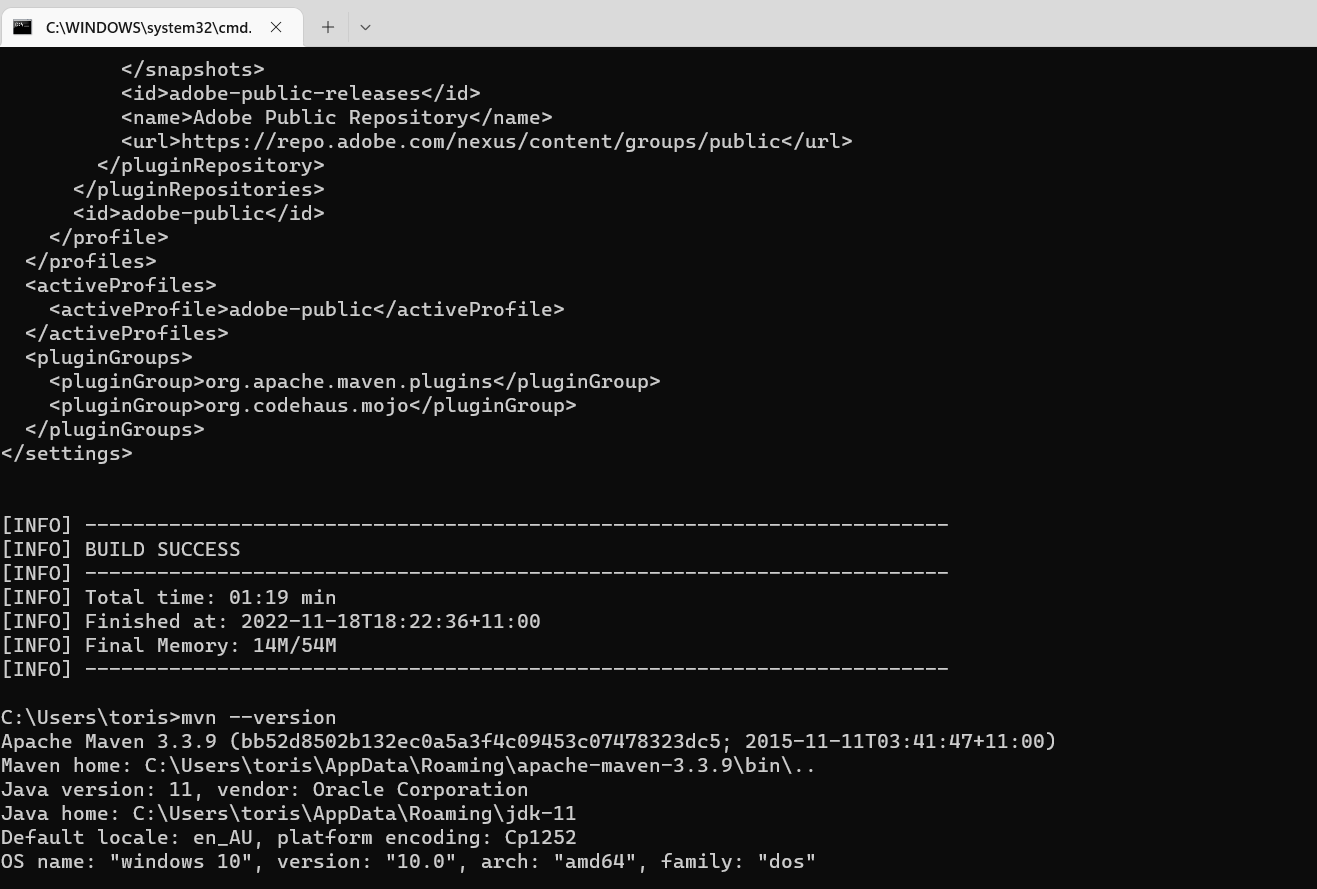
Sh4. Maven dependency installation failed because…the folder is not accessible? But I do have an admin level of user control.
Again, windows. The cyber security folks who provided the device to you may prevent your privileges to integrate outsource downloads from the open source community space to modify some folders and treat them as a system security level, even though you have admin control. Or your new fancy machine has this option as default, and you may need to change it. If you can access to registry module on Windows, try the solution from the link below.
A Required Privilege Is Not Held By a Client | Help Center
Sh5. Checked the setting.xml and POM.xml. I still have a dependent issue. It’s very specific. Enforcer.
There is a command you may skip the enforcer running…but again, it’s very case by case.
I found an article showing all my tried solutions. (and each solution works so depending on the case…so I can’t say which one is the all-for-one answer)

In my case, “Temporarily” removing the setting.xml from .m2 and re-running the command helped to solve this. However, I ended up going with the next dependency problem.
If the issue is stubborn, here is the last result.
1mvn clean install -Denforcer.skip=true
For some of the AEM AMP projects, the enforcer issue was stubborn for BRad and me, so we used that command.
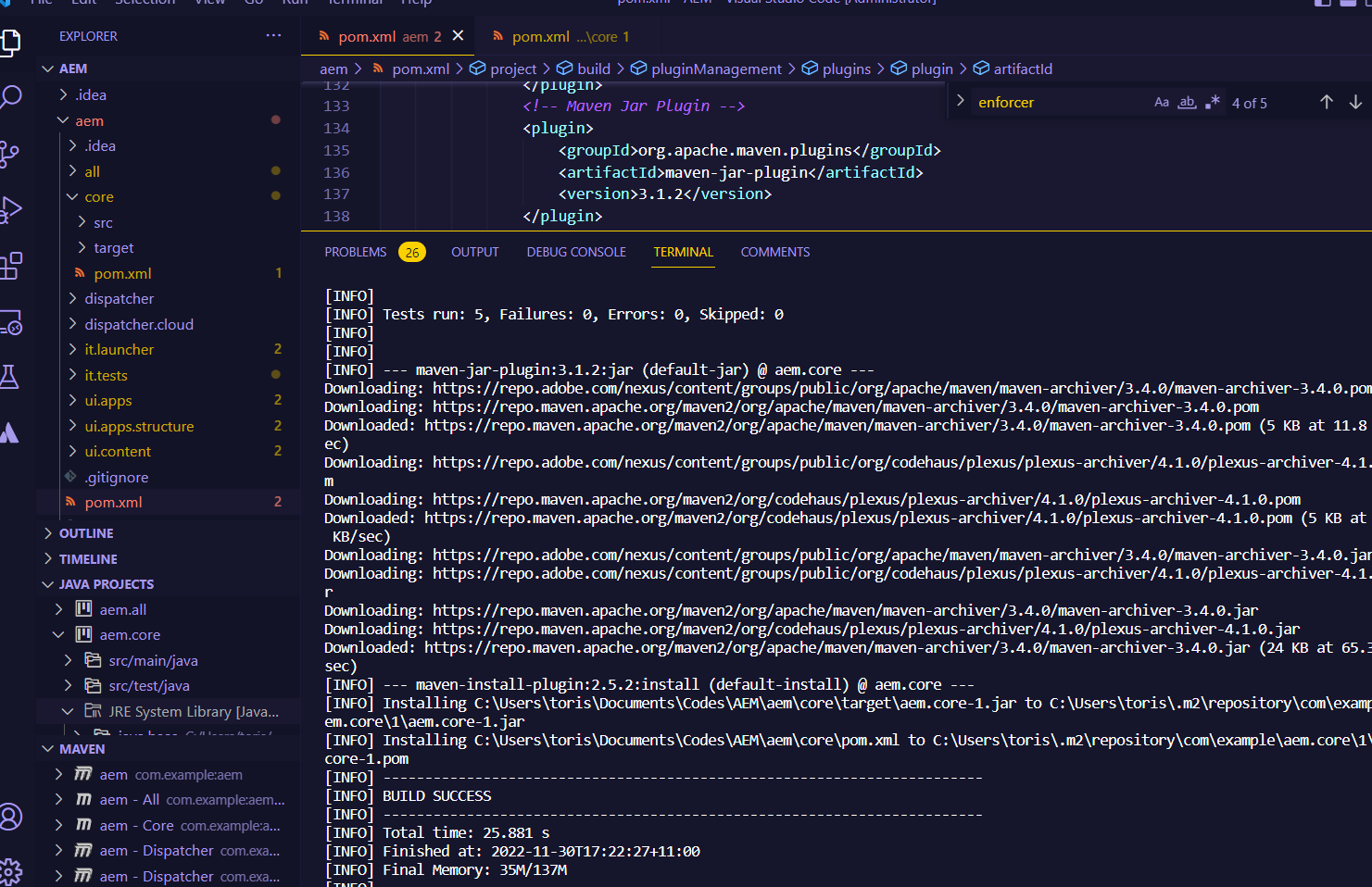
This is the result of the build’s success within the core.
Maven dependencies issue more relating to the archetype structure and versionings
Sh6. Pom.xml has lots of error messages under the subfolders such as ui.frontend or ui.content
First of all, check your error messages on IDE. Whether you are on VSC, Eclipse, or IntelliJ, It should tell something. For my personal preference, I debug stuff through IntelliJ as they have some insight tooltip functions within the editor.
When I helped other devs, mostly likely the version number was not matching the root pom.xml, or the relative path was not matching where exactly the parent pom.xml was
Sh7. Could not find artifact com.adobe.cq:core.wcm.components.examples:zip:2.19.2 in adobe-public-releases
Not sure about this. I checked the release versions from Adobe’s official GitHub, but whatever version number I put in, nothing worked. If anyone knows about this issue, feel free to provide a solution.
[Releases · adobe/aem-core-wcm-components] (https://github.com/adobe/aem-core-wcm-components/releases)